Capturing the Image
- Find the Right Location and Time:
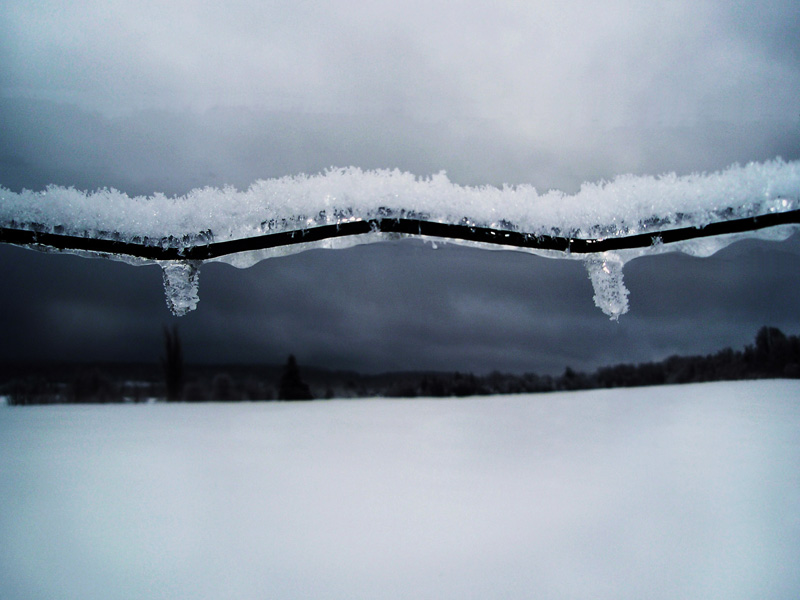
- Choose a location with a clear view of the landscape. Early morning or late afternoon light provides soft, golden tones and long shadows, enhancing the winter scene’s beauty.
- Use the Rule of Thirds:
- Enable the gridlines on your phone’s camera and compose your shot with the rule of thirds in mind. Place key elements (like the horizon) along the grid lines to create a balanced composition.
- Incorporate Foreground, Middle, and Background:
- Include elements in the foreground (e.g., snow-covered branches), middle ground (e.g., a frozen lake), and background (e.g., mountains or trees) to add depth to your photo.
- Focus and Exposure:
- Tap on the screen to focus on a specific point. Adjust exposure by sliding your finger up or down to ensure the snow is not overexposed and retains its texture.
- Steady Your Shot:
- Use both hands to hold your phone steady. Alternatively, use a tripod or lean against a stable surface to avoid camera shake, especially in low light conditions.
Editing with Snapseed
- Open the Photo in Snapseed:
- Import your photo into Snapseed. Start with the “Tune Image” tool to adjust the overall brightness, contrast, saturation, and ambiance. Enhance the photo without overdoing it.
- Adjust White Balance:
- Use the “White Balance” tool to correct any color casts. Winter scenes can have a bluish tint; adjust the temperature to make it look more natural.
- Enhance Details:
- Use the “Details” tool to increase the structure and sharpness of the image, bringing out the texture in the snow and other elements.
- Add Selective Adjustments:
- Use the “Selective” tool to brighten or darken specific areas. For example, you can enhance the brightness of the snow while keeping the sky and other elements balanced.
- Fine-Tune with Filters:
- Apply filters like “Drama” or “Vintage” sparingly to add a unique touch to your photo. Adjust the filter strength to maintain the simplicity and natural beauty of the winter landscape.
Final Tips
- Save and Compare:
- Save multiple versions of your edited photo to compare and choose the best one. You can always go back and tweak the settings if needed.
- Share and Get Feedback:
- Share your photo on social media or with friends to get feedback. Constructive criticism can help you improve your photography and editing skills.